


Guide
Electrolux Oven Door Locked After Self-Clean: Heat and Latch Safety
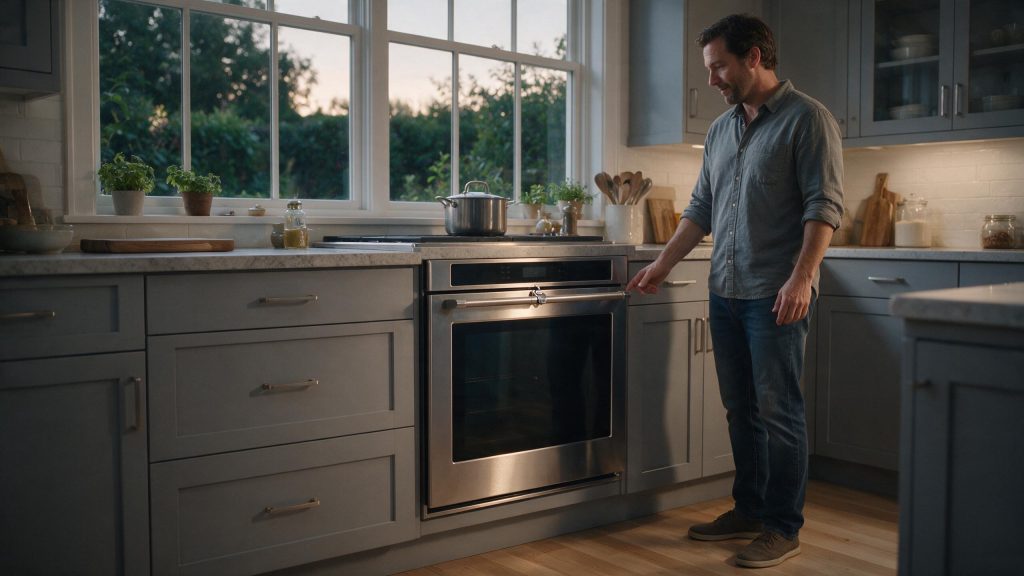
A door that stays locked after an Electrolux self-clean is normally the oven waiting to cool, not a fault. The manual for one wall oven says the door stays locked until the oven cools, with about 1 additional hour to allow after the cycle ends. Do not force the door; if it is still locked long after the oven is fully cool and the display looks normal, book service.
Electrolux Oven Door Locked After Self-Clean
A locked door immediately after self-clean is usually a safety function, not a failure. The important question is whether the oven unlocks after it has cooled completely and the control has returned to normal operation.
Start with the checks you can perform from outside the appliance. If the symptom is tied to water, heat, gas, electricity, or moving parts, stop when the condition becomes unsafe rather than repeatedly testing the appliance. The exact diagnostic path can vary by model, so keep the full model number available.
| Symptom | What it can point to | What you can check |
|---|---|---|
| Door locked and Hot shown on the display | Normal cooling lockout after self-clean | Wait for the oven to cool; do not touch the latch |
| Door locked with no cycle running | User Door Lock or Screen Lock turned on | Hold the LOCK control for 3 seconds as the manual describes |
| Door will not lock when you start the cycle | Door not fully closed or something in the way | Close the door fully and allow the motorized lock time to move |
| Still locked long after cooling, display normal | Lock motor, switch or control problem | Stop and book diagnosis |
Why the Door Stays Locked During Self-Clean
One of the first possibilities is normal high-temperature self-clean lockout. Cancel the self-clean cycle if the model allows it. This is useful because it rules out a condition that can imitate a component problem without requiring disassembly.
Let the Oven Cool Completely
Next, consider oven still above the safe unlock temperature. Wait until the oven is completely cool. Look for a clear change in behavior rather than making several adjustments at the same time.
Two Different Locks on the Same Door
Electrolux touch-screen wall ovens can lock the door in two unrelated ways. The self-clean lock is motorized and engages by itself for the cycle. The manual for one model also describes a user Door Lock and Screen Lock, turned on by holding LOCK for 3 seconds, with an unlock code shown on the display.
That second lock is easy to set by accident and easy to mistake for a latch failure. If the control shows a lock symbol while no cleaning cycle is active, it is worth ruling out before assuming the lock motor has failed.
Do Not Force the Latch
Another common branch is control waiting for the clean cycle to finish. Do not pull, pry, or force the door open. If the symptom began immediately after installation, cleaning, a power event, or moving the appliance, that timing is especially useful.
What Happens Before and After the Cycle
The manual says the motorized lock takes about 15 seconds to engage once the cycle starts, so a door that is not yet locked right after you press Start is not necessarily wrong. It also says to remove racks and all items first and not to line the oven with aluminum foil. Racks left inside discolor and stop sliding easily.
Self-clean options on that model run 2, 3 or 4 hours, and the frame and the area outside the gasket are cleaned by hand. Forcing the door can damage the automatic door-locking system.
Try a Safe Power Reset Only After Cooling
Do not overlook door-lock motor or switch problem. After cooling, use the normal cancel/off control and allow the latch time to move. If that check is normal, the remaining causes move farther toward internal components or controls.
Common Questions
How long does the door stay locked after self-clean?
The manual for one Electrolux wall oven says the door stays locked until the oven cools and to allow about 1 additional hour after the cycle. Your model may differ, so check its manual and wait until the oven is fully cool.
Is a locked door a sign the lock is broken?
Not on its own. A lock fault is more likely when the oven is completely cool, the Hot indication is gone and the door still will not release.
Safe Troubleshooting Checklist
- Cancel the self-clean cycle if the model allows it.
- Wait until the oven is completely cool.
- Do not pull, pry, or force the door open.
- After cooling, use the normal cancel/off control and allow the latch time to move.
- If the control appears frozen after cooling, a brief power reset may be reasonable.
- Normal high-temperature self-clean lockout.
- Oven still above the safe unlock temperature.
- Control waiting for the clean cycle to finish.
- Door-lock motor or switch problem.
- Electronic control issue.
- Electrolux Range/Oven Repair
- Electrolux Range/Oven Error Codes
- Electrolux Oven Not Heating Enough: Power, Preheat, and Door-Seal Checks
- Electrolux Oven Getting Too Hot: Settings, Preheat, and Overheating Warning Signs
- Electrolux Oven Not Heating Enough: What Changes the Repair Cost?
- Electrolux Oven Getting Too Hot: Overheating Warning Signs You Should Not Ignore
- Electrolux Induction Cooktop Repair Cost: Cookware, Power, or Electronics?
Common Causes to Keep in Mind
Safety Boundary
Safety takes priority over continued troubleshooting. Stop normal operation when the symptom involves smoke, sparking, a burning electrical smell, repeated breaker trips, uncontrolled overheating, active water near electrical connections, persistent gas odor, or violent mechanical movement.
Keep homeowner checks external and manual-approved. Do not perform live-voltage measurements, modify gas controls, bypass door or lid safety devices, open sealed refrigeration systems, or remove a microwave cabinet.
When the Lock System Needs Repair
Stop if the latch grinds repeatedly, the door remains locked long after the oven is fully cool, or the oven shows a door-lock error. If the oven is cool but the door remains locked, book oven repair. The latch motor, lock switches, wiring, and control board may need diagnosis. Clear notes about what changed, when the symptom appears, and what you already checked can make the service visit more efficient.
What to Tell the Technician
Provide the full model number, when the symptom started, whether it happens every cycle or only under certain conditions, and any display message or error code you have seen. Mention recent installation work, power outages, plumbing changes, filter changes, or unusual noises. Those details help separate a setup issue from a component or control problem.
FAQ
Is it normal for the oven door to stay locked after self-clean?
Yes. Electrolux states that the door remains locked for safety until the oven has cooled sufficiently.
Can I force the oven door open?
No. Forcing the door can damage the latch, hinges, or door structure.
What if the oven is completely cool and still locked?
That is when a latch or control problem becomes more likely and service is appropriate.
Related Electrolux Repair Resources
Similar Articles
>
Keep reading
Similar articles
Electrolux Gas Cooktop Burner Not Lighting: Safe Ignition Checks and Stop Conditions
When an Electrolux gas cooktop burner will not light, the cause is often something you can fix with the burner cold: food in the…
Electrolux Oven Getting Too Hot: Overheating Warning Signs You Should Not Ignore
An Electrolux oven that seems too hot is most often a matter of preheat, mode, rack position or an offset setting. The real warning…
Electrolux Dryer Making Noise: When Rattling or Squeaking Means Stop
A noisy Electrolux dryer is easier to sort out once you know what is normal. Thumping at the start of a cycle, airflow noise…
Book a repair
Tell us what’s wrong — we’ll take it from there
Share a few details and we’ll confirm an appointment. Prefer to talk? Call us and we’ll help right away.
Address
We operate in California, Florida, New York, and Texas.
Phone
(844) 917-2115
Hours
Mon–Fri 8:00 AM – 6:00 PM · Sat 9:00 AM – 2:00 PM
Service area
We currently serve the Miami, New York, Houston, Los Angeles and San Diego metro areas, including many surrounding communities.
Response time
Same-day and next-day appointments are often available — confirm with your ZIP code.
Directions
View on map
Request your repair
Fields marked with * are required.