


Guide
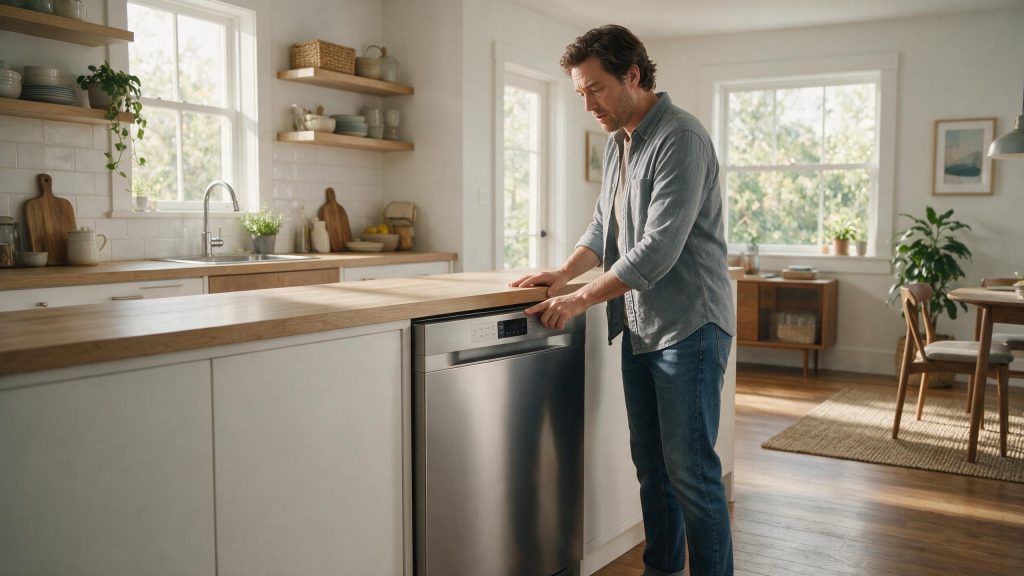
Electrolux Dishwasher Not Starting: Door, Power, Water, and Control Checks
A dishwasher that will not start most often has a simple cause: delay start or a child lock is active, the door is not latched, the water supply is off, or the household power is out. Check those in order before suspecting the control. If the display is lit and all four are clear, the latch, control or wiring needs testing.
Electrolux Dishwasher Not Starting
Before assuming the electronic control has failed, confirm the dishwasher is actually receiving the conditions it needs to start. Electrolux points to delay start, child lock, the door, water supply, and household power as first checks.
Start with the checks you can perform from outside the appliance. If the symptom is tied to water, heat, gas, electricity, or moving parts, stop when the condition becomes unsafe rather than repeatedly testing the appliance. The exact diagnostic path can vary by model, so keep the full model number available.
| Symptom | What it can point to | What you can check |
|---|---|---|
| Dark display | No household power: breaker, fuse or outlet | Check the breaker or fuse; see whether other outlets on that circuit work |
| CLOSE on the display | Door not latched properly | Latch the door fully and press Start |
| Nothing fills after Start | Water supply off or restricted, or inlet-hose filter clogged | Open the shutoff valve, check the hose for kinks |
| Selected cycle never begins | DELAY set, or the cycle was interrupted | Cancel the delay and press Start again |
Rule Out Delay Start and Child Lock
One of the first possibilities is delay start or child lock enabled. Cancel delay start if it was selected unintentionally. This is useful because it rules out a condition that can imitate a component problem without requiring disassembly.
Make Sure the Door Is Fully Closed
Next, consider door not fully latched. Confirm the door closes fully and press Start as required by the model. Look for a clear change in behavior rather than making several adjustments at the same time.
Reading the Message on the Display
On the built-in Electrolux dishwasher covered in one use-and-care manual, a CLOSE message means the door is not properly latched. Latching it clears the message, and it is not a fault. The same manual covers an E10 message for a dishwasher that will not run or fill, with a checklist that includes the breaker or fuse, adequate water pressure, an open tap, the cycle set correctly, DELAY not set, the door closed and latched, and the inlet-hose filter not clogged or kinked. Your own manual lists the codes that apply to your model.
Confirm Water Is Available
Another common branch is water supply turned off. Make sure the dishwasher water shutoff valve is open. If the symptom began immediately after installation, cleaning, a power event, or moving the appliance, that timing is especially useful.
Check the Breaker and Start Sequence
Do not overlook tripped breaker or household power issue. Check the household breaker or fuse if the display is dark. If that check is normal, the remaining causes move farther toward internal components or controls.
After a Power Loss or an Interrupted Cycle
The manual for one model says that after a power loss the dishwasher needs START pressed to resume. A machine that looks dead after a storm or a tripped breaker may only be waiting for that press.
If everything above checks out and the dishwasher still does not start, the cause is more likely a door latch, control or wiring problem, and repeated tries add little.
Common Questions
Why does my Electrolux dishwasher show CLOSE?
On the model described in one Electrolux manual, it means the door is not latched correctly. Push the door firmly shut and press Start. If it keeps appearing with the door fully shut, the latch should be checked.
Does the dishwasher resume after a power outage?
The manual for one model says START has to be pressed to resume after a power loss. Check the display and press Start once before looking for another cause.
Could low water pressure stop the dishwasher from starting?
The manual for one model lists adequate water pressure among the checks for a dishwasher that will not fill. Make sure the shutoff valve is open and that the inlet hose is not kinked, and use your own manual for the pressure range for your model.
Safe Troubleshooting Checklist
- Cancel delay start if it was selected unintentionally.
- Confirm the door closes fully and press Start as required by the model.
- Make sure the dishwasher water shutoff valve is open.
- Check the household breaker or fuse if the display is dark.
- If the cycle was interrupted to add an item, press Start again if your model requires it before closing the door.
- Delay start or child lock enabled.
- Door not fully latched.
- Water supply turned off.
- Tripped breaker or household power issue.
- Door latch, control, wiring, or pump-related problem.
- Electrolux Dishwasher Repair
- Electrolux Dishwasher Error Codes
- Electrolux Dishwasher Not Draining: Check the Filter, Hose, and Installation
- Electrolux Dishwasher Not Cleaning Dishes: Improve Wash Performance Safely
- Electrolux Dishwasher Not Draining: A Step-by-Step Drain-Path Check
- Electrolux Dishwasher Cleaning Performance: Filter, Loading, and Spray Care
- Electrolux Dishwasher Drying Performance: Rinse Aid, Loading, and Cycle Care
Common Causes to Keep in Mind
Read the Pattern Before You Guess the Part
The same outward symptom can come from more than one cause. Useful evidence includes what still works, what changed first, whether the problem is constant or intermittent, and whether the issue affects one function or the whole appliance.
Start with owner-accessible conditions and the exact model number. Parts should follow diagnosis, not replace it.
When a No-Start Condition Needs Repair
Stop if the breaker trips again, you smell electrical heat, or the dishwasher leaks when it attempts to start. If the dishwasher still will not start after settings, door, water, and power checks, schedule repair. Door-latch sensing, control power, pumps, and wiring may need diagnosis. Once the external checks are exhausted, model-specific testing is more useful than repeated resets or trial-and-error parts replacement.
What to Tell the Technician
Provide the full model number, when the symptom started, whether it happens every cycle or only under certain conditions, and any display message or error code you have seen. Mention recent installation work, power outages, plumbing changes, filter changes, or unusual noises. Those details help separate a setup issue from a component or control problem.
FAQ
Can delay start make the dishwasher look like it is not working?
Yes. The unit will wait until the programmed delay expires.
Can the dishwasher refuse to run if the water is off?
Yes. Electrolux includes the water supply among the items to check for a no-start condition.
What if the controls light up but the cycle does not begin?
Check the door, lock/delay settings, and start sequence first. A recurring no-start condition can require latch or control diagnosis.
Related Electrolux Repair Resources
Similar Articles
Keep reading
Similar articles
Electrolux Microwave Has No Power: Breaker, Outlet, and Reset Checks
When an Electrolux microwave shows nothing on the display and the interior light stays dark, the problem is almost always upstream of the microwave:…
Electrolux Dryer Won’t Start: Door, Start Control, and Power Checks
When an Electrolux dryer will not start, the cause is often in the starting sequence: a door that is not fully closed, a touch…
Electrolux Washer Not Starting: What to Check Before Repair
A washer that will not start most often comes down to a setting or a condition rather than a failed part: the Start command…
Book a repair
Tell us what’s wrong — we’ll take it from there
Share a few details and we’ll confirm an appointment. Prefer to talk? Call us and we’ll help right away.
Address
We operate in California, Florida, New York, and Texas.
Phone
(844) 917-2115
Hours
Mon–Fri 8:00 AM – 6:00 PM · Sat 9:00 AM – 2:00 PM
Service area
We currently serve the Miami, New York, Houston, Los Angeles and San Diego metro areas, including many surrounding communities.
Response time
Same-day and next-day appointments are often available — confirm with your ZIP code.
Directions
View on map
Request your repair
Fields marked with * are required.