


Guide
Electrolux Oven Getting Too Hot: Overheating Warning Signs You Should Not Ignore
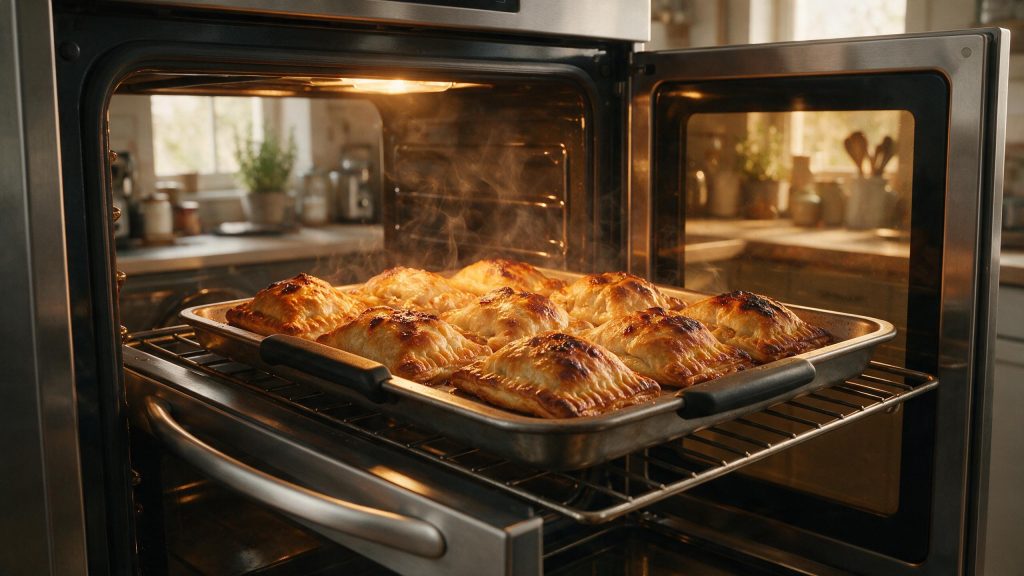
An Electrolux oven that seems too hot is most often a matter of preheat, mode, rack position or an offset setting. The real warning sign is an oven that keeps heating after it is turned off or never seems to cycle off. If that is happening, switch it off, leave the door closed and book service.
Electrolux Oven Getting Too Hot
If food burns much sooner than expected or the oven seems hotter than the selected temperature, first separate normal cooking variables from true uncontrolled heating. An oven that continues heating after it is turned off is not a calibration issue.
Start with the checks you can perform from outside the appliance. If the symptom is tied to water, heat, gas, electricity, or moving parts, stop when the condition becomes unsafe rather than repeatedly testing the appliance. The exact diagnostic path can vary by model, so keep the full model number available.
| Symptom | What it can point to | What you can check |
|---|---|---|
| Food browns or burns sooner than the recipe says | Loaded before preheat finished, or racks placed too high | Wait for full preheat and check rack position |
| Results run hot every time | A temperature offset set on the control | Look at the temperature adjustment in the settings menu |
| Thermometer reads far above the setting | An inaccurate thermometer or a real control issue | Compare readings once the oven has stabilized |
| Oven keeps heating after being turned off | Stuck relay or control fault | Stop and book diagnosis |
Use a Full Preheat
One of the first possibilities is food loaded before preheat completes. Allow preheat to finish before placing food in the oven. This is useful because it rules out a condition that can imitate a component problem without requiring disassembly.
Verify the Selected Temperature and Mode
Next, consider incorrect cooking mode or temperature. Confirm the selected mode and set temperature. Look for a clear change in behavior rather than making several adjustments at the same time.
Calibration Offset Versus a Real Fault
The manual for one Electrolux touch-screen wall oven says the oven is factory calibrated and that the temperature can be offset up to +35 F or -35 F from the control. A positive offset left over from an earlier adjustment would make every bake run hotter than the display says, with no part failure involved.
The same manual says the settings menu has a Reset that returns all user options, including temperature adjustments, to default. Checking the offset first separates a settings issue from a control fault. A setting cannot explain an oven that keeps heating after power is turned off.
Check Rack and Pan Placement
Another common branch is pan or rack placement affecting browning. Avoid placing pans where they block normal airflow. If the symptom began immediately after installation, cleaning, a power event, or moving the appliance, that timing is especially useful.
What a Thermometer Reading Can and Cannot Show
The manual warns that grocery-store oven thermometers can be off by 20 to 40 degrees. A reading from one of them is a clue, not proof, and it is no basis for changing the calibration.
The manual’s own remedies for baking too hot are to preheat fully, use the correct rack position, reduce the temperature by 25 F if food is too dark, and check that the oven is level with a water-filled measuring cup on the rack.
Watch for True Thermal Runaway
Do not overlook temperature-sensor or calibration issue. Observe whether the oven cycles normally rather than heating continuously. If that check is normal, the remaining causes move farther toward internal components or controls.
Common Questions
Can the oven temperature be adjusted from the control?
On the model in the manual, yes: the control allows an offset of up to 35 F in either direction. Check whether your own model has the same setting before changing it.
Why do cakes brown too fast but cook through normally?
Rack position and pan placement are common causes, since browning depends on how close the food sits to the heat. Moving the rack and reducing the setting by 25 F, as the manual suggests, is a safer test than altering the calibration.
Should the oven settings be reset?
The manual describes a Reset in the settings menu that returns every user option to default. It clears an old temperature offset, but it will not fix an oven that overheats with the settings at default.
Safe Troubleshooting Checklist
- Allow preheat to finish before placing food in the oven.
- Confirm the selected mode and set temperature.
- Avoid placing pans where they block normal airflow.
- Observe whether the oven cycles normally rather than heating continuously.
- If using a thermometer, compare multiple stabilized readings rather than one momentary reading.
- Food loaded before preheat completes.
- Incorrect cooking mode or temperature.
- Pan or rack placement affecting browning.
- Temperature-sensor or calibration issue.
- Stuck relay or electronic control problem.
- Electrolux Range/Oven Repair
- Electrolux Range/Oven Error Codes
- Electrolux Oven Not Heating Enough: Power, Preheat, and Door-Seal Checks
- Electrolux Induction Cooktop Not Heating: Cookware and Power Checks
- Electrolux Oven Not Heating Enough: What Changes the Repair Cost?
- Electrolux Induction Cooktop Repair Cost: Cookware, Power, or Electronics?
- Electrolux Gas Cooktop Burner Not Lighting: Safe Ignition Checks and Stop Conditions
Common Causes to Keep in Mind
Safety Boundary
Safety takes priority over continued troubleshooting. Stop normal operation when the symptom involves smoke, sparking, a burning electrical smell, repeated breaker trips, uncontrolled overheating, active water near electrical connections, persistent gas odor, or violent mechanical movement.
Keep homeowner checks external and manual-approved. Do not perform live-voltage measurements, modify gas controls, bypass door or lid safety devices, open sealed refrigeration systems, or remove a microwave cabinet.
When to Disconnect Power
If the oven keeps heating after you turn it off, disconnect power at the breaker and do not use it until it is diagnosed. If the oven consistently runs too hot with correct settings, or heating does not cycle normally, book oven repair. Temperature sensing and relay/control operation need safe electrical testing. That gives the technician a cleaner starting point and reduces time spent recreating basic operating conditions.
What to Tell the Technician
Provide the full model number, when the symptom started, whether it happens every cycle or only under certain conditions, and any display message or error code you have seen. Mention recent installation work, power outages, plumbing changes, filter changes, or unusual noises. Those details help separate a setup issue from a component or control problem.
FAQ
Can putting food in before preheat make it cook unevenly?
Yes. Electrolux emphasizes proper preheating for stable cooking temperature.
Is a small temperature swing normal?
Ovens cycle heat on and off, so the instantaneous temperature will move around the setpoint.
What if the oven will not stop heating?
Disconnect power and arrange service. Continuous uncontrolled heating is a safety concern.
Related Electrolux Repair Resources
Similar Articles
Keep reading
Similar articles
Electrolux Oven Door Locked After Self-Clean: Heat and Latch Safety
A door that stays locked after an Electrolux self-clean is normally the oven waiting to cool, not a fault. The manual for one wall…
Electrolux Gas Cooktop Burner Not Lighting: Safe Ignition Checks and Stop Conditions
When an Electrolux gas cooktop burner will not light, the cause is often something you can fix with the burner cold: food in the…
Electrolux Dryer Making Noise: When Rattling or Squeaking Means Stop
A noisy Electrolux dryer is easier to sort out once you know what is normal. Thumping at the start of a cycle, airflow noise…
Book a repair
Tell us what’s wrong — we’ll take it from there
Share a few details and we’ll confirm an appointment. Prefer to talk? Call us and we’ll help right away.
Address
We operate in California, Florida, New York, and Texas.
Phone
(844) 917-2115
Hours
Mon–Fri 8:00 AM – 6:00 PM · Sat 9:00 AM – 2:00 PM
Service area
We currently serve the Miami, New York, Houston, Los Angeles and San Diego metro areas, including many surrounding communities.
Response time
Same-day and next-day appointments are often available — confirm with your ZIP code.
Directions
View on map
Request your repair
Fields marked with * are required.