


Guide
Electrolux Induction Cooktop Repair Cost: Cookware, Power, or Electronics?
What an Electrolux induction cooktop repair costs depends first on what the diagnosis finds. A pan the cooktop cannot detect, a lock setting or an object on the controls costs nothing to fix. Power-supply and electronics faults are the ones that change an estimate, and a few outside checks tell you which group you are in before you book.
Electrolux Induction Cooktop Not Heating
An induction zone can be powered on yet refuse to heat if the pan is not compatible or is not being detected correctly. That is why cookware is the first diagnostic branch, followed by control settings and electrical supply.
Start with the checks you can perform from outside the appliance. If the symptom is tied to water, heat, gas, electricity, or moving parts, stop when the condition becomes unsafe rather than repeatedly testing the appliance. The exact diagnostic path can vary by model, so keep the full model number available.
| Symptom | What it can point to | What you can check |
|---|---|---|
| Zone stays cold with a pan on it | Pan not magnetic, too small, off-center, warped or tilted | Test the pan with a magnet and center it on the zone |
| Whole cooktop shuts off while cooking | No pan detected for 30 seconds, or an object on the controls | Clear the control area and put the pan back in place |
| Controls do not respond | A control that needs a moment to reset | Wait 5 to 6 seconds without touching the controls |
| All zones dead and controls blank | Supply or installation problem, or electronics | Check the breaker once, then stop and book diagnosis |
Test Whether the Cookware Is Induction Compatible
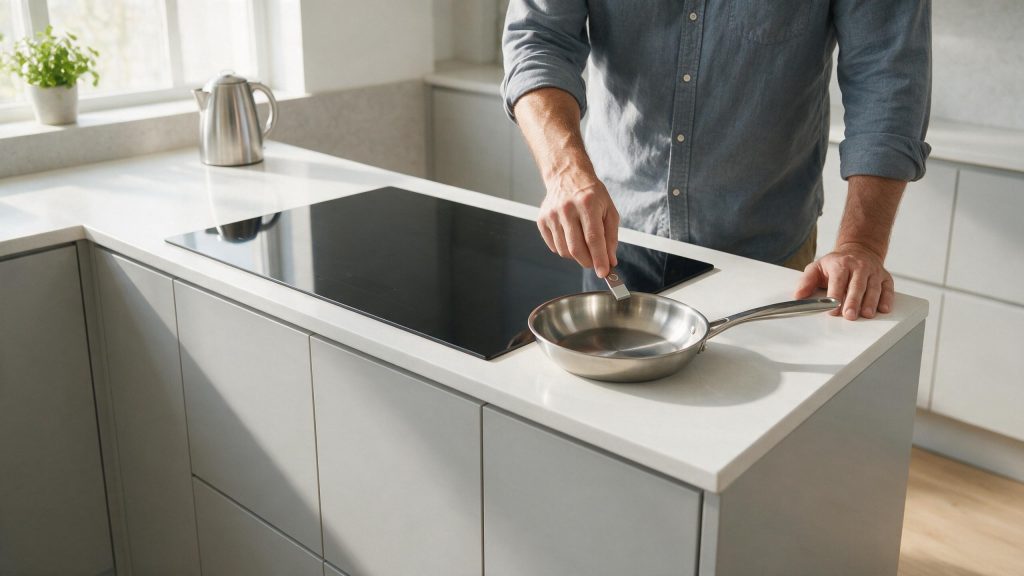
One of the first possibilities is cookware not magnetic or unsuitable for induction. Use a magnet on the bottom of the cookware; it should stick firmly. This is useful because it rules out a condition that can imitate a component problem without requiring disassembly.
Center the Pan on the Cooking Zone
Next, consider pan too small or poorly positioned. Use flat-bottom cookware sized appropriately for the cooking zone. Look for a clear change in behavior rather than making several adjustments at the same time.
What Shapes an Induction Repair Estimate
An estimate rests on what the diagnosis actually finds. Cookware, a lock or a stuck-control condition is resolved without parts. A fault in the power supply to the cooktop is a different job from a fault in the electronics behind the glass, and both differ from damage to the glass surface itself.
Model and installation also matter, since the part that fits one cooktop may not fit another and a unit set into a counter cutout is harder to reach. That is why a price cannot responsibly be given from a symptom alone.
Rule Out Lock and Setting Issues
Another common branch is control lock or setting issue. Make sure the cooktop is not locked and the desired power level is selected. If the symptom began immediately after installation, cleaning, a power event, or moving the appliance, that timing is especially useful. A cracked or broken glass top is a stop condition: the manual for one Electrolux induction cooktop says not to clean or operate a broken glass cooktop because of the risk of electric shock.
Try a Safe Power Reset
Do not overlook power-supply or installation problem. If all zones are affected, turn the appliance off at the breaker briefly and restore power once. If that check is normal, the remaining causes move farther toward internal components or controls.
Common Questions
Can cookware really be the whole problem?
Yes. The manual says cookware must contain magnetic iron or steel, and a magnet that clings weakly or not at all means the pan will not heat. Try a pan that passes the magnet test before spending anything on service.
Why did the entire cooktop turn off?
If no cookware is detected for 30 seconds, the cooktop turns off. An object resting on the controls can also deactivate it and make a signal sound.
Safe Troubleshooting Checklist
- Use a magnet on the bottom of the cookware; it should stick firmly.
- Use flat-bottom cookware sized appropriately for the cooking zone.
- Make sure the cooktop is not locked and the desired power level is selected.
- If all zones are affected, turn the appliance off at the breaker briefly and restore power once.
- Do not remove the cooktop or access power electronics yourself.
- Cookware not magnetic or unsuitable for induction.
- Pan too small or poorly positioned.
- Control lock or setting issue.
- Power-supply or installation problem.
- Temperature protection, sensor, generator board, or control issue.
- Electrolux Range/Oven Repair
- Electrolux Range/Oven Error Codes
- Electrolux Oven Not Heating Enough: Power, Preheat, and Door-Seal Checks
- Electrolux Oven Getting Too Hot: Settings, Preheat, and Overheating Warning Signs
- Electrolux Oven Not Heating Enough: What Changes the Repair Cost?
- Electrolux Oven Getting Too Hot: Overheating Warning Signs You Should Not Ignore
- Electrolux Gas Cooktop Burner Not Lighting: Safe Ignition Checks and Stop Conditions
Common Causes to Keep in Mind
What Changes the Repair Estimate
For this range/oven symptom, price cannot be determined accurately from the symptom alone. The estimate changes with the exact Electrolux model, the system testing identifies, part availability, access requirements, and whether the problem is external to the appliance or inside it.
A useful quote should separate diagnosis, parts, and labor clearly enough that you can understand what is being repaired. Ask whether the problem is isolated, whether a model-specific part must be ordered, and whether a return visit is expected.
Repair-versus-replacement decisions should compare the confirmed repair with the installed cost of replacement, not only the retail price of a new appliance. Built-in fit, delivery, haul-away, plumbing, electrical work, venting, stacking, cabinetry, or laundry-tower installation can materially change that comparison.
When Induction Electronics Need Service
Stop if the breaker trips, the cooktop smells hot or electrical, or a zone activates unpredictably. If compatible cookware is not detected or one or more zones remain cold after a safe reset, schedule cooktop repair. Induction power modules, sensors, wiring, and controls may need testing. The goal is not to guess at parts; it is to rule out the safe, visible causes and preserve the symptoms that matter for diagnosis.
What to Tell the Technician
Provide the full model number, when the symptom started, whether it happens every cycle or only under certain conditions, and any display message or error code you have seen. Mention recent installation work, power outages, plumbing changes, filter changes, or unusual noises. Those details help separate a setup issue from a component or control problem.
FAQ
How do I know if a pan works on induction?
Electrolux recommends a magnet test: if a magnet sticks to the cookware base, the material is generally suitable for induction.
Can the cooktop be working even if the glass does not feel as hot as a radiant cooktop?
Yes. Induction heats the pan directly, so the surface behaves differently from radiant electric elements.
What if no cooking zones heat?
Check power and installation first; a whole-cooktop condition can point to supply or control issues rather than one individual zone.
Related Electrolux Repair Resources
Similar Articles
Keep reading
Similar articles

Electrolux Oven Not Heating Enough: What Changes the Repair Cost?
The repair cost for an Electrolux oven that does not heat enough depends on what is behind the symptom. A setting, a worn door…
Electrolux Dryer Not Heating: What Changes the Repair Cost?
What an Electrolux dryer repair costs when the drum turns but there is no heat depends on which side of the dryer has failed.…
Electrolux Washer Leak Repair Cost: Hose, Door, Drain, or Internal?
What a washer leak costs to fix depends on where the water comes from and what the diagnosis turns up. A loose hose connection,…
Book a repair
Tell us what’s wrong — we’ll take it from there
Share a few details and we’ll confirm an appointment. Prefer to talk? Call us and we’ll help right away.
Address
We operate in California, Florida, New York, and Texas.
Phone
(844) 917-2115
Hours
Mon–Fri 8:00 AM – 6:00 PM · Sat 9:00 AM – 2:00 PM
Service area
We currently serve the Miami, New York, Houston, Los Angeles and San Diego metro areas, including many surrounding communities.
Response time
Same-day and next-day appointments are often available — confirm with your ZIP code.
Directions
View on map
Request your repair
Fields marked with * are required.