

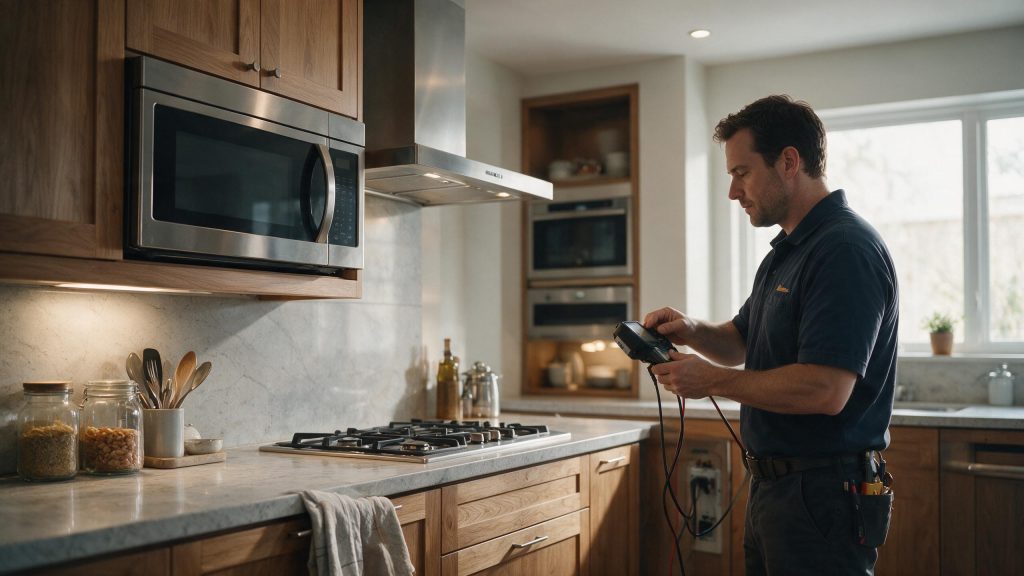

Guide
Electrolux Microwave Has No Power: Breaker, Outlet, and Reset Checks
When an Electrolux microwave shows nothing on the display and the interior light stays dark, the problem is almost always upstream of the microwave: the breaker, the outlet or the circuit. Check those from the outside, reset a tripped breaker once, and stop there. If the power is confirmed and the microwave is still dead, the remaining causes are inside and need service.
Electrolux Microwave Has No Power
If the display and interior light are both dead, treat the condition as a power-path problem first. Because microwaves contain high-voltage components that can remain dangerous after unplugging, internal troubleshooting is not a homeowner task.
Start with the checks you can perform from outside the appliance. If the symptom is tied to water, heat, gas, electricity, or moving parts, stop when the condition becomes unsafe rather than repeatedly testing the appliance. The exact diagnostic path can vary by model, so keep the full model number available.
| Symptom | What it can point to | What you can check |
|---|---|---|
| Display and light both dead | Tripped breaker or no power at the outlet | Check the breaker and the plug seating |
| Display lit but no heating | A control lock or demo mode on some models, or a fault on the heating side | Look in the manual for lock and demo settings |
| Microwave died after an outage or surge | A power event affecting the circuit | Reset the breaker once and see whether power returns |
| Breaker trips again after the reset | A circuit or internal fault | Stop resetting and book diagnosis |
Check the Display and Interior Light
One of the first possibilities is tripped household breaker. Confirm the display and interior light are both unpowered. This is useful because it rules out a condition that can imitate a component problem without requiring disassembly.
Reset the Household Breaker Once
Next, consider power surge or outage. Check the breaker and reset it once if there is no sign of electrical damage. Look for a clear change in behavior rather than making several adjustments at the same time.
Separating No Power From No Heat
A microwave with a lit display is a different problem from a dead one. The use-and-care manual for one Electrolux countertop model describes a Service Call Check: run 1 cup of water for 1 minute on HIGH, then ask whether the oven light came on, the display worked, the turntable turned and the water got warm. If any answer is no, the manual points to the outlet, the fuse or breaker, and then to a service call.
Use only water for that check, never an empty cavity.
Consider a Recent Power Surge
Another common branch is problem with the receptacle or dedicated circuit. If the microwave is plugged into a receptacle, confirm the plug is fully seated without opening the appliance. If the symptom began immediately after installation, cleaning, a power event, or moving the appliance, that timing is especially useful.
What a Breaker Reset Does and Does Not Tell You
A breaker that was tripped and restores power once has told you the circuit was interrupted, not why. A single trip after a surge or outage is easy to understand. A breaker that trips again points to a fault that resetting cannot fix, and repeated resets only add stress to the circuit.
If the microwave is hardwired or on a dedicated circuit, leave any wiring check to an electrician or service technician.
Confirm the Microwave Uses the Correct Circuit
Do not overlook installation wiring issue. Consider whether the problem began after a power outage or surge. If that check is normal, the remaining causes move farther toward internal components or controls.
Common Questions
Why is the display on but the microwave not heating?
Some Electrolux microwaves have a control lock or a demo mode in which the display works but heating is disabled. The manual for your model explains whether those features exist and how they are turned off. If neither applies, the cause sits on the heating side and needs diagnosis.
Is it safe to open the microwave and check the fuse?
No. Microwave internals include high-voltage parts that can remain dangerous after unplugging, and the manual advises against do-it-yourself microwave service. Stay with the breaker, the outlet and the plug.
How many times should the breaker be reset?
Once. If power returns and stays on, the cause was probably a one-time event. If it trips again, stop and have the circuit and the microwave looked at.
Safe Troubleshooting Checklist
- Confirm the display and interior light are both unpowered.
- Check the breaker and reset it once if there is no sign of electrical damage.
- If the microwave is plugged into a receptacle, confirm the plug is fully seated without opening the appliance.
- Consider whether the problem began after a power outage or surge.
- Do not remove the outer cabinet to check internal fuses or high-voltage parts.
- Tripped household breaker.
- Power surge or outage.
- Problem with the receptacle or dedicated circuit.
- Installation wiring issue.
- Internal fuse, control, interlock, or power-supply problem.
- Electrolux Microwave Repair
- Electrolux Microwave Error Codes
- Electrolux Microwave Vent Fan Keeps Running: When It Is Normal and When to Check It
- Electrolux Microwave Vent Fan Keeps Running: A Step-by-Step Heat and Control Check
- Electrolux Refrigerator Not Cooling: What to Check Before You Book Repair
- Electrolux Refrigerator Water Dispenser Not Working: What You Can Check
Common Causes to Keep in Mind
Read the Pattern Before You Guess the Part
The same outward symptom can come from more than one cause. Useful evidence includes what still works, what changed first, whether the problem is constant or intermittent, and whether the issue affects one function or the whole appliance.
Start with owner-accessible conditions and the exact model number. Parts should follow diagnosis, not replace it.
When No Power Needs Professional Service
Stop if the breaker trips again, the receptacle is hot or damaged, or you smell electrical burning. If household power is normal but the microwave remains completely dead, schedule microwave repair. Internal power and door-interlock circuits require safe high-voltage service procedures. That gives the technician a cleaner starting point and reduces time spent recreating basic operating conditions.
What to Tell the Technician
Provide the full model number, when the symptom started, whether it happens every cycle or only under certain conditions, and any display message or error code you have seen. Mention recent installation work, power outages, plumbing changes, filter changes, or unusual noises. Those details help separate a setup issue from a component or control problem.
FAQ
Can a power surge leave an Electrolux microwave dark?
Yes. Electrolux specifically notes that power surges can trip breakers and affect electronic controls.
Should an over-the-range microwave be on a dedicated circuit?
Electrolux support recommends a dedicated circuit for its microwave installation guidance.
Can I open the cabinet to check the internal fuse?
No. Microwave high-voltage components can remain dangerous even after the unit is unplugged.
Related Electrolux Repair Resources
Similar Articles
>
Keep reading
Similar articles
Electrolux Dryer Won’t Start: Door, Start Control, and Power Checks
When an Electrolux dryer will not start, the cause is often in the starting sequence: a door that is not fully closed, a touch…
Electrolux Washer Not Starting: What to Check Before Repair
A washer that will not start most often comes down to a setting or a condition rather than a failed part: the Start command…
Electrolux Dishwasher Not Starting: Door, Power, Water, and Control Checks
A dishwasher that will not start most often has a simple cause: delay start or a child lock is active, the door is not…
Book a repair
Tell us what’s wrong — we’ll take it from there
Share a few details and we’ll confirm an appointment. Prefer to talk? Call us and we’ll help right away.
Address
We operate in California, Florida, New York, and Texas.
Phone
(844) 917-2115
Hours
Mon–Fri 8:00 AM – 6:00 PM · Sat 9:00 AM – 2:00 PM
Service area
We currently serve the Miami, New York, Houston, Los Angeles and San Diego metro areas, including many surrounding communities.
Response time
Same-day and next-day appointments are often available — confirm with your ZIP code.
Directions
View on map
Request your repair
Fields marked with * are required.